 Video Download
Finds every video
Direct MP4/WebM files, HLS (.m3u8) and DASH (.mpd) streams, including players inside iframes.
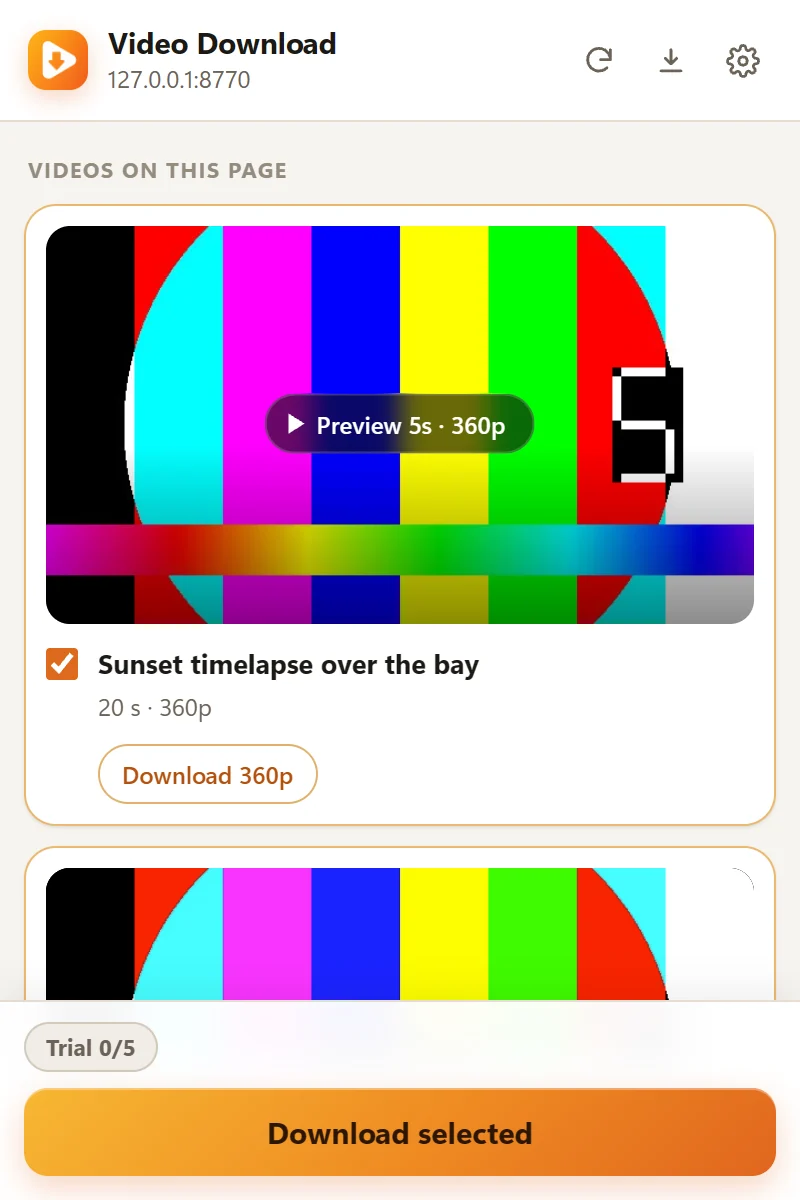
Video Download finds the videos on the page you are watching, lists every quality, and joins all the segments into a single file that plays everywhere.
No command line, no converters, no guessing which .ts file is which.
Direct MP4/WebM files, HLS (.m3u8) and DASH (.mpd) streams, including players inside iframes.
H.264/AAC streams are converted to MP4 on the fly. Other codecs are kept untouched.
Sites that ship audio as a separate track still give you one file with sound.
Flaky network? Failed segments are retried and you can resume where it stopped.
Parallel downloads that slow down automatically when a server starts throttling.
Detection and downloading happen in your browser. Pages you visit are never sent to us.
The extension badge shows how many videos it found.
Preview 5 seconds, choose 1080p, 720p… or download several at once.
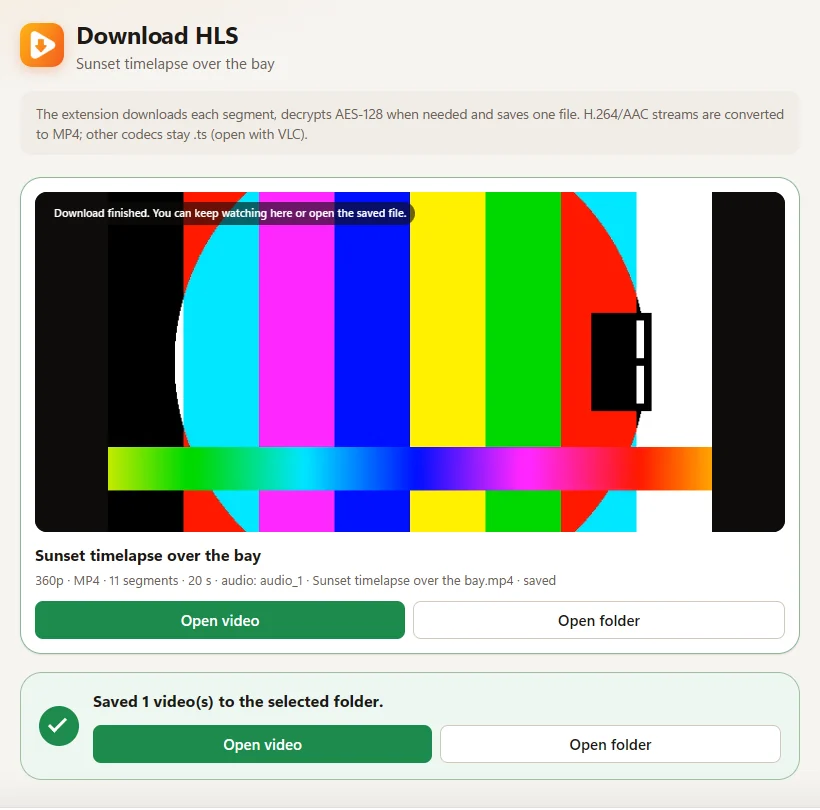
Watch it download live. Open the video or the folder when it's done.
Try it properly first. Pay once if it earns a place in your toolbar.
Buy from the extension's Settings page after signing in.
No. The Chrome Web Store does not allow YouTube downloaders, so YouTube is disabled.
No. Streams protected by Widevine, PlayReady or FairPlay cannot and will not be downloaded. Standard AES-128 HLS encryption is supported.
Chrome 116 or newer on desktop, plus Chromium browsers such as Edge, Brave and Opera.
Direct files go to your Downloads/Videos folder. Streams are written straight to the folder you choose, without filling memory.
Your email, a hashed password, how many trial downloads you used and your payment record. Never the videos or pages you visit.
Yes. Email us within 14 days if it doesn't work for you.
Install, create a free account and get 5 downloads on the house.
Add to Chrome — it's free